Camera Company
Company
Shop By Category
T&Cs
Shop Online
  • The maker's specifications on every page
  • Free tracked NZ-wide delivery over $175
  • 14-day returns

Dinosaur Kids Camera | Digital camera for kids | Toddler camera toy

Dinosaur Kids Camera

$90.99 $108.99 Save $18
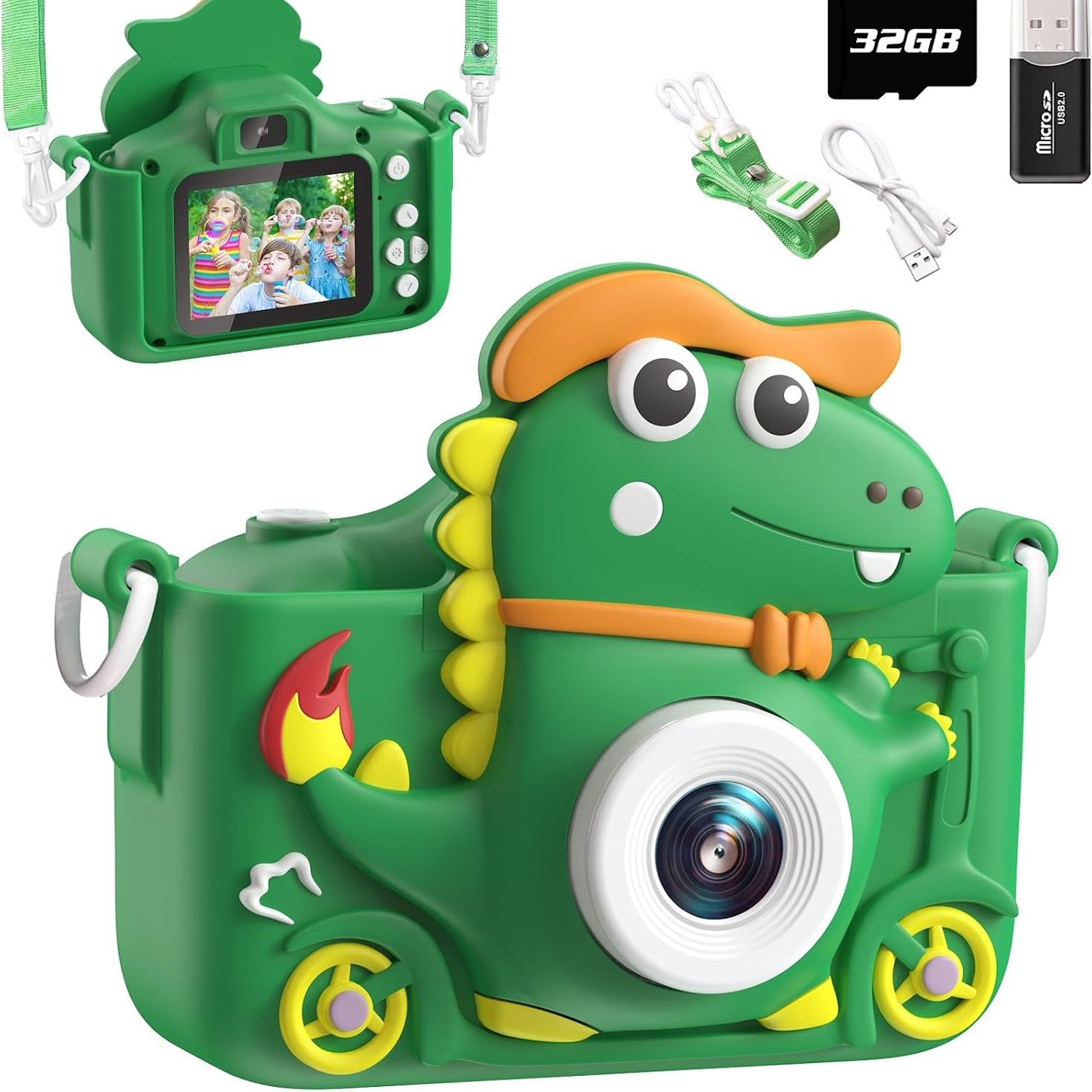
  • Dual Lens Design
  • 1080p Video
  • Silicone Dino Case
  • Games And Music

Price: $90.99 $108.99

  • Free tracked NZ-wide delivery on orders $175+, otherwise a flat $20
  • Pay by card or PayPal, handled by the payment provider
  • 14 days to change your mind, plus your statutory rights
Product specifications
BrandAissom
ColourGreen
Screen Size2.0 inch
Display TypeLCD, colour
Display Maximum Resolution1920 x 1080
ViewfinderLCD screen
Video Resolution1080p
Video Capture FormatMP4
Sensor TypeCMOS
Photo Sensor Resolution5 MP
Photo Sensor Size1/1.2 inch
Image StabilisationNo
Special FeatureMP3 player
Flash Memory TypeSD card
ConnectivityMicro USB
Video OutputHDMI (1 port)
Compatible DevicesComputer (via USB)
Battery Cell TypeLithium ion
Battery Weight14 g
Compatible MountingsNone
Shipping & returns

Tracked delivery anywhere in New Zealand. It is free on orders of $175 or more, and a flat $20 below that.

If it is not right for you, send it back within 14 days of delivery in resaleable condition and we refund the price you paid, including standard delivery. That is a voluntary policy we offer on top of your legal rights. You cover the cost of returning it unless the item is faulty.

If it arrives faulty, damaged or not as described, we put it right at no cost to you under the Consumer Guarantees Act 1993 and the Fair Trading Act 1986, return postage included.

Shipping details · Refunds and returns

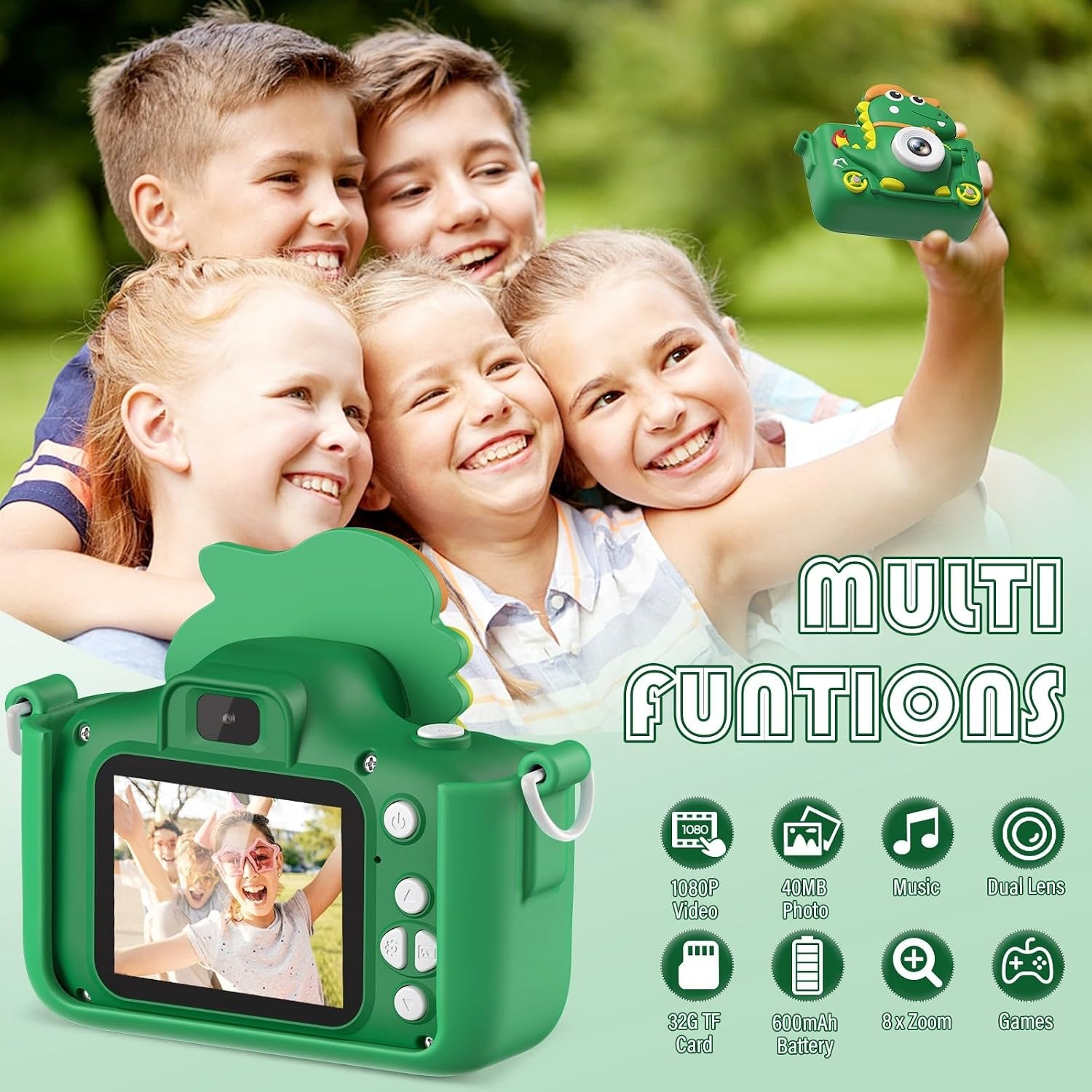
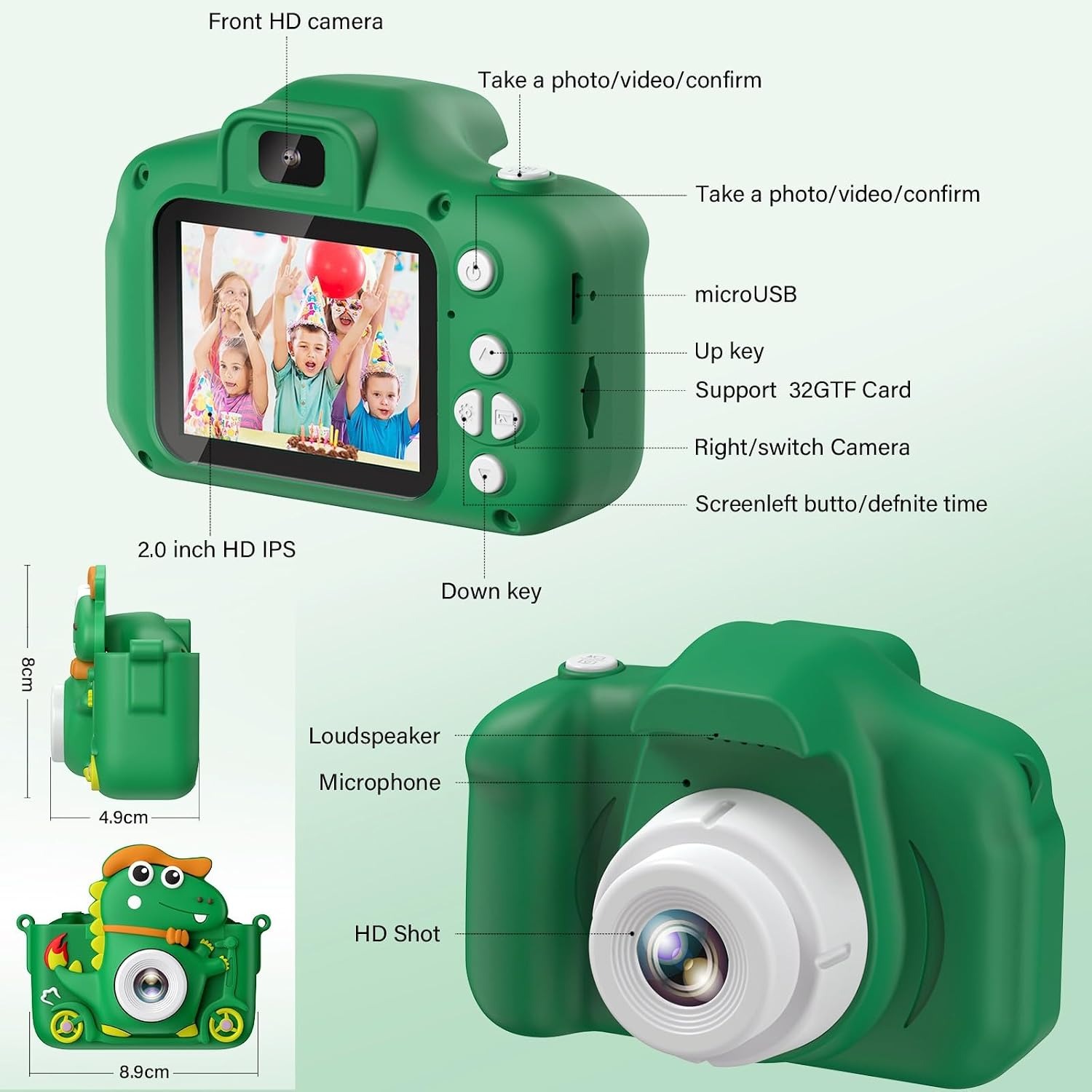
Dual Lens DesignFront and rear lenses let kids shoot the view or themselves.
1080p VideoRecords MP4 clips to the memory card for easy playback.
Silicone Dino CaseA soft case and lanyard help the camera survive busy hands.
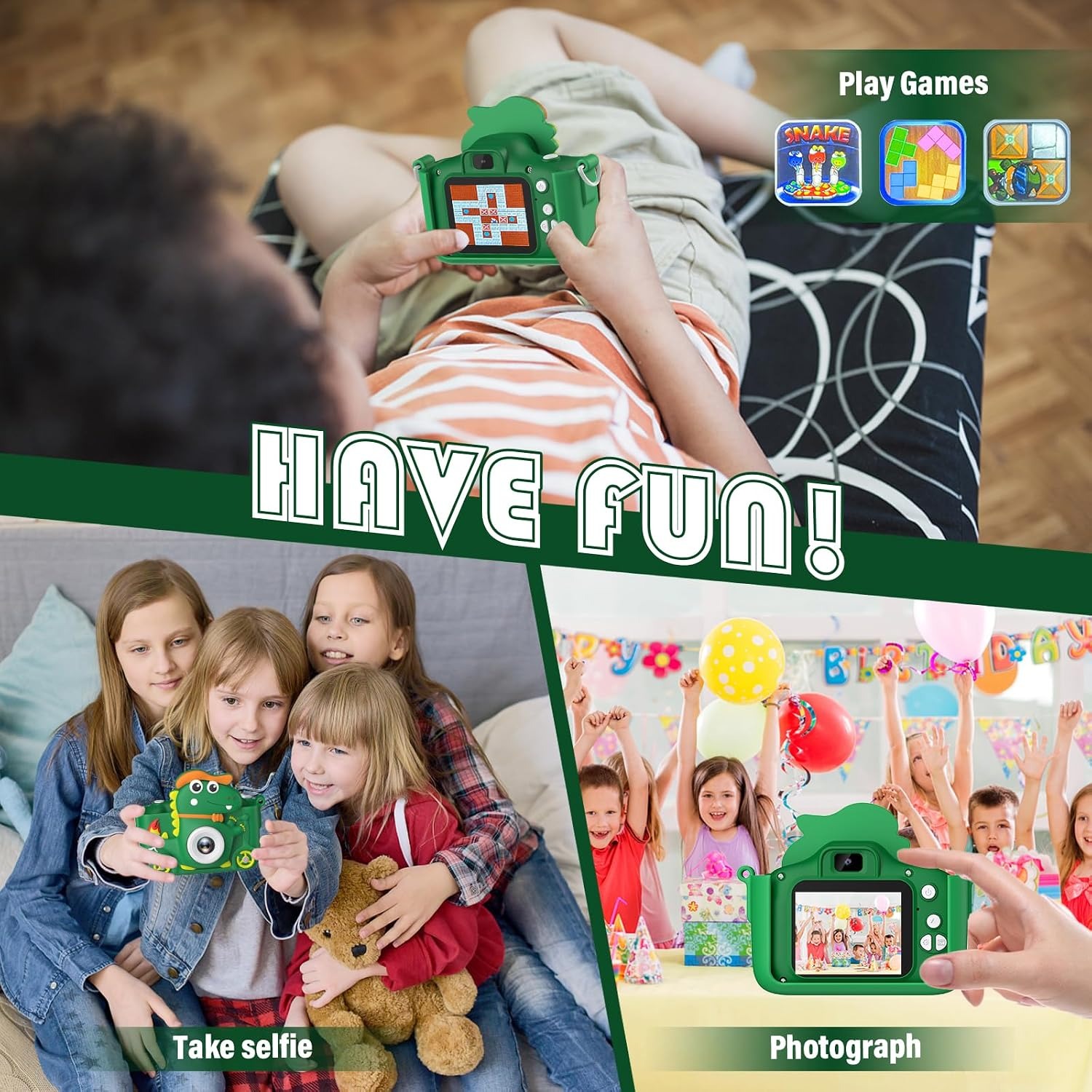
Games And MusicFive built-in games plus MP3 playback for quiet moments.

A dinosaur kids camera that turns every walk, party and backyard adventure into a photo worth keeping.

Dual lenses, 1080p video, a 2.0 inch colour screen, built-in games, filters and MP3 playback, all wrapped in a soft silicone dinosaur case with a lanyard.

A dinosaur kids camera built for small hands, with a soft silicone case and a lanyard so it can be carried all day.

Dual lenses and a 2.0 inch LCD screen let children frame a shot, swap to selfie mode and see the result straight away.

Records 1080p MP4 video and saves stills to an SD card, so a whole holiday fits in one pocket-sized toy.

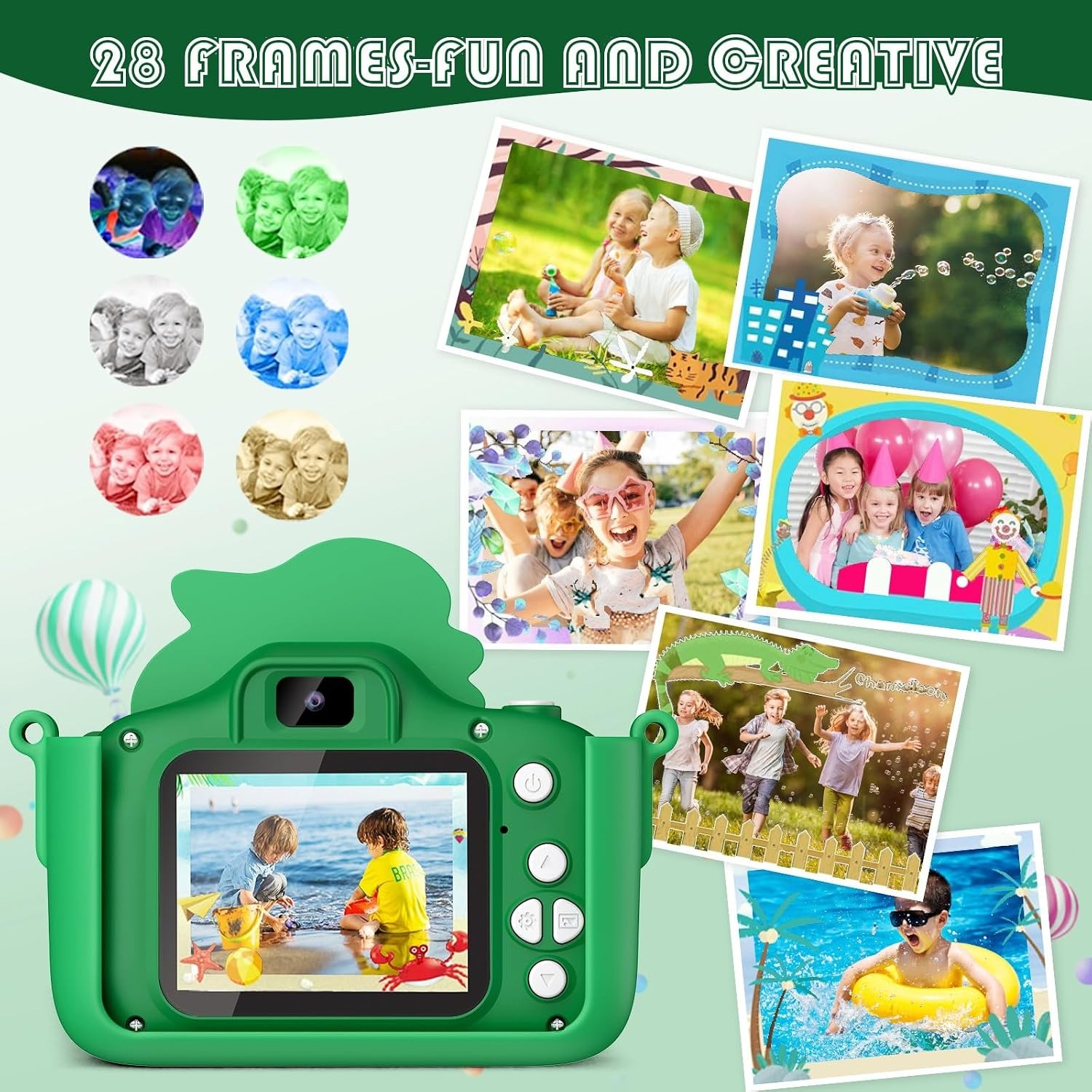
Built-in filters, mirror effects and cartoon frames turn ordinary snaps into something kids actually want to show you.

Doubles as an MP3 player and holds five simple games, which makes it handy on long car trips and flights.

Dinosaur Kids Camera

Most kids do not need a serious camera. They need something they can grab off the shelf, point at the dog and press a button on. This dinosaur kids camera is built around that idea. The body sits inside a soft silicone dinosaur case, there is a lanyard so it hangs safely around the neck, and the controls are simple enough that a child can work them out faster than an adult reading the manual.

Dinosaur Kids Camera

The hardware is straightforward. A CMOS sensor with a 5 MP photo sensor resolution sits behind the lens, there is a second lens for selfies, and a 2.0 inch colour LCD on the back shows what the camera sees. Video records at 1080p in MP4 format, which means clips drop straight onto a computer over the micro USB connection without any fuss or special software.

Dinosaur Kids Camera

What keeps children coming back is the play side of it. There are colour filters they can flick through with the up and down buttons while shooting, mirror effects, cartoon frames and a digital zoom for getting closer to a snail or a sleeping cat. A timer mode (2, 5 or 10 seconds) lets them set up a shot and run into frame, which is usually good for at least twenty minutes of chaos.

Dinosaur Kids Camera

It also works as a quiet-time device. Load music onto the SD card and it becomes a basic MP3 player, and there are five simple built-in games for a long wait at the airport. That is a reasonable amount of use for one small object, and it means the camera often travels when a tablet stays home.

Dinosaur Kids Camera

As a gift, it lands well with children who are curious about photography but not ready for anything expensive or fragile. It is a camera they own, make mistakes with and learn from. If the first hundred photos are blurry close-ups of carpet, that is part of it. The next hundred usually start looking like something.

Not sure yet? That is fine.

A camera has to suit the job you bought it for, and you cannot always judge that from a photograph. If it is not right for you, send it back within 14 days of delivery in resaleable condition and we refund the price you paid, including standard delivery. That is a voluntary policy we offer on top of your legal rights.

If it turns up faulty, damaged or not as described, that is on us. The Consumer Guarantees Act 1993 and the Fair Trading Act 1986 covers you, and we pay the return postage. Read the full detail on our refunds and returns page, or ask us anything before you order.

Frequently Asked Questions

What is the Dinosaur Kids Camera?

It is a small digital camera designed for children, wrapped in a soft silicone case shaped like a dinosaur. It takes photos and 1080p video, plays music from the memory card and includes five simple games. The lanyard lets a child wear it around the neck while they explore.

What age is this camera suitable for?

It suits primary-school-age children best, roughly 4 to 10, because the buttons and menus are simple but still need a little patience. Younger toddlers can press the shutter with help from an adult. Older kids tend to enjoy the filters and video more than the still photos.

How good is the photo quality?

The specification lists a CMOS sensor with a 5 MP photo sensor resolution and a 1/1.2 inch sensor size. That is fine for screen viewing, printing small snapshots and sharing with family. It is a toy camera in the best sense, not a replacement for a phone or a DSLR.

Does it record video?

Yes. Video records at 1080p and saves as MP4 files, which play on almost any computer, tablet or TV without converting anything. Clips go onto the SD card along with the photos.

Are there two lenses?

Yes, there is a rear-facing lens for normal shots and a front-facing lens for selfies. Children switch between them with a button, so group shots and silly faces are both covered. This is one of the features that makes it feel like a proper kids selfie camera rather than a single-purpose toy.

How big is the screen?

The screen is a 2.0 inch colour LCD with a maximum display resolution of 1920 x 1080. It is large enough to frame a shot and review photos, and small enough to keep the whole camera pocketable. There is no separate optical viewfinder.

Does it have image stabilisation?

No. The specification lists image stabilisation as not included, so very shaky hands will show in video. Encouraging a child to hold it with both hands or rest it on something solid makes a noticeable difference.

What memory does it use?

It uses an SD card for storage, which is listed as the flash memory type. Photos, video and music files all live on the card. Capacity depends on the card you use.

Can it play music?

Yes, the special feature listed is an MP3 player. Load music files onto the memory card and the camera plays them back, which makes it a decent distraction on a long drive. It is one of the reasons parents rate it as a travel camera for kids.

How does it connect to a computer?

It connects over micro USB and shows up as a drive, so you can drag photos and video straight across. There is also one HDMI output for viewing on a TV. No special software is needed.

What battery does it use?

It runs on a built-in lithium ion rechargeable battery. The listed battery weight is 14 grams. Charge it with a standard 5V/1A supply, as a higher output can shorten battery life or damage the camera.

How long does the battery last?

Runtime depends on how much video and screen time is involved, and exact figures are not specified by the maker. As with any small rechargeable camera, a top-up charge before an outing is the safest approach. Shooting stills uses less power than recording video.

Can I charge it from a phone charger?

Only if that charger outputs 5V/1A. Fast chargers that push more current can affect the battery or harm the camera. A laptop USB port or a basic 1A wall adapter is the safer option.

Does it have a zoom?

It has a digital zoom, adjusted by holding the up or down button. Digital zoom crops into the image rather than moving glass, so the picture softens as you push further in. It is still handy for getting a closer look at something a child cannot safely approach.

What are the filters and frames?

There is a set of colour filters, mirror effects and cartoon photo frames that can be applied while shooting. Children flick between them with the up and down buttons. It is a simple way to get them experimenting with how colour changes a picture.

Does it have a self-timer?

Yes. The timer can be set to 2, 5 or 10 seconds in the settings menu. Press the shutter and the camera counts down, which gives the child time to get into frame.

What games are included?

Five simple built-in games are included on the camera. They are basic puzzle-style games meant for short bursts, not long sessions. Most parents use them as a backup for waiting rooms and delayed flights.

Is the case removable?

The silicone dinosaur case is designed to slip over the camera body and can be taken off for cleaning. Put it back on before handing the camera to a child, since it absorbs most of the knocks. The case is a big part of why this works as a toddler friendly camera.

Is it waterproof?

No. The silicone case helps with bumps and drops but offers no water protection. Keep it out of pools, baths and heavy rain.

What colour is it?

The listed colour is green. The dinosaur styling comes from the moulded silicone case rather than the camera body itself. Colour options beyond green are not specified by the maker.

What is in the box?

Box contents are not fully specified in the maker's details, so check your order confirmation for the exact list. The camera, its silicone case and the lanyard are the core items. Any memory card or cable inclusion will be confirmed at checkout.

Can a left-handed child use it easily?

Yes. The shutter and navigation buttons sit on top and on the back, so there is no strong hand bias. Most children just hold it with both hands anyway, which also steadies the shot.

How do I get the photos off it?

Plug it into a computer with the micro USB cable and copy the files across, or take the SD card out and use a card reader. Both methods give you standard JPEG and MP4 files. No account or app is required.

Can it be connected to a TV?

It has one HDMI video output, so it can be connected to a TV with a suitable cable. That makes it easy to sit down as a family and look through a day's photos. The cable type you need depends on the port size, so check before buying.

How should I clean it?

Wipe the body and screen with a soft dry cloth, and pull the silicone case off occasionally to clean underneath where crumbs and sand collect. Avoid household cleaners and never run it under a tap. A dry cotton bud works well around the lens edges.

Is this a good first camera for a child?

It is a sensible first camera for a child because it is simple, protected and inexpensive enough that a drop is not a disaster. Children learn framing and timing without anyone hovering over them. If they stay interested, a step up later makes more sense.

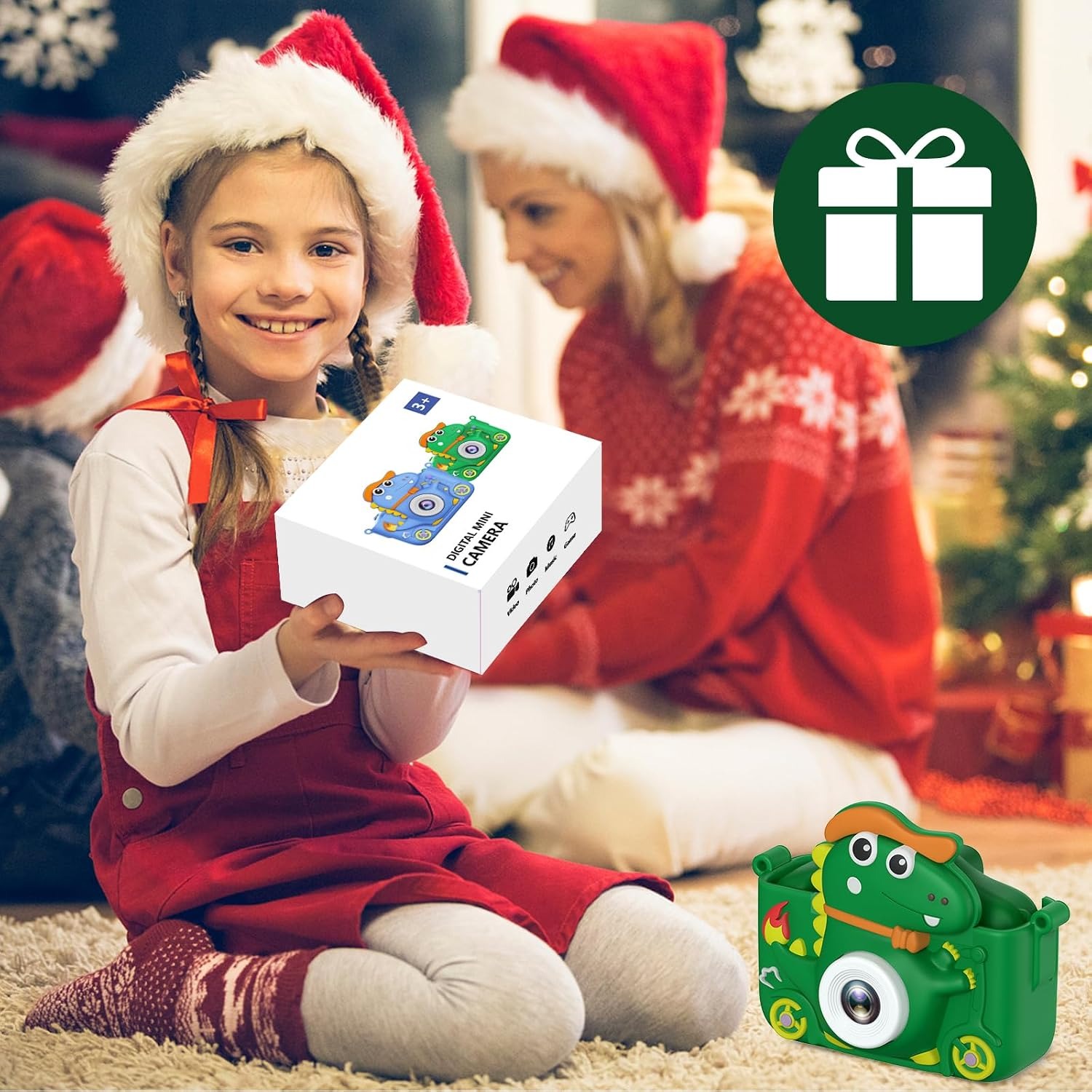
Does it make a good birthday or Christmas gift?

Yes, it is one of the easier gifts to get right for kids aged roughly 4 to 10. It arrives ready to play with, the dinosaur case gives it instant personality, and it keeps working long after the wrapping paper is gone. Charge it before gifting so the first session is not spent waiting.

Can two children share one?

They can, though the memory card fills with two sets of photos and arguments over whose turn it is are common. If you have two kids close in age, two cameras usually work out better. Each one having their own lanyard helps as well.

How is it delivered?

Orders ship to your delivery address with tracking, and the timeframe shown at checkout reflects your location. You will get a tracking link by email once the parcel moves. Keep the packaging until you have checked the camera works.

What if it is not right for us?

Contact our team within the returns window shown at checkout and we will walk you through it. Items should be unused and in their original packaging where possible, and we will sort out a return or an exchange. If something arrived faulty, send a short description and a photo and we will fix it from there.

Choosing a Kids Camera That Actually Gets Used

6 min read Camera Company

The problem with giving a child your phone

Every parent has done it. You hand over the phone so a four-year-old can take a photo of a duck, and twenty minutes later you have 340 photos of the duck, a video of your own shoe, and a child who will not give the phone back. The camera on a phone is excellent. Everything around it is a problem: the cost, the fragility, the apps one tap away, the fact that it is your phone and you actually need it.

A dedicated kids camera fixes that in a boring, practical way. It costs little enough that a drop on gravel is annoying rather than painful. It does one thing. And, crucially, it belongs to the child. That sense of ownership changes how they use it. They start noticing things because they are looking for something to photograph, which is a quietly useful habit for a kid to pick up.

What this camera actually does

The Dinosaur Kids Camera sits in the simple end of the market and does not pretend otherwise. There is a CMOS sensor with a 5 MP photo sensor resolution behind the lens, a second lens on the front for selfies, and a 2.0 inch colour LCD on the back. Video records at 1080p and saves as MP4 files. Photos and clips go onto an SD card, and you pull them off with the micro USB connection or a card reader.

Around that core sit the features children actually talk about. Colour filters you flick through while shooting. Mirror effects. Cartoon frames that sit around the edge of the photo. A digital zoom controlled by holding the up or down button, which is genuinely useful for photographing a bug without squashing it. A self-timer with 2, 5 and 10 second settings, which exists so children can sprint into frame and pull a face.

Then there are the extras. Five built-in games. An MP3 player that works off music loaded onto the memory card. An HDMI output so the day's photos can go up on the TV. None of these are the reason to buy it, but together they mean the camera keeps earning its place in a bag.

What it does not have is image stabilisation. The specification is clear on that. Video from a running child will look like video from a running child. In practice most parents find that funny rather than disappointing, but it is worth knowing before you expect smooth footage.

The case matters more than the specs

Here is the thing nobody mentions in the feature list. The single biggest factor in whether a kids camera survives six months is the case, and this one comes wrapped in soft silicone shaped like a dinosaur, with a lanyard attached.

Silicone absorbs the energy of a drop in a way that hard plastic does not. It also gives small fingers something grippy to hold, which reduces the number of drops in the first place. The lanyard is the other half of the equation. A camera hanging around a child's neck is a camera that is not left on a park bench or a cafe table. Teach them to put it on before you leave the house and you solve most of the loss problem.

The dinosaur shape is not just decoration either. Children attach to objects with a character, and a camera with a face gets treated better than a grey rectangle. It sounds soft, but it holds up.

Who this suits

The sweet spot is roughly four to ten years old. Four-year-olds will mostly press the shutter and enjoy the noise, and that is fine. By six or seven they are choosing filters, setting the timer and reviewing shots on the screen. By nine or ten they may be asking questions about why some photos are blurry, which is the point at which the camera has done its job and started teaching something.

It also suits specific situations very well. Long car trips, where the games and music buy you a quiet half hour. Holidays, where a child with their own camera stops asking for yours. Grandparent visits, where the photos a child takes of their grandparents are often better than the posed ones adults take. School holidays with a project attached, like photographing one thing every day for a week.

Who it does not suit: a teenager who wants real photos for social media, or anyone expecting phone-quality images. This is a first camera for a child, and it is honest about that.

How to choose between kids cameras

If you are comparing a few options, a short list of things that actually matter.

Screen size and type. A 2.0 inch colour LCD is on the comfortable side for this category. Smaller screens make it hard for a child to see whether they got the shot, and they lose interest faster when they cannot tell.

Video format. MP4 is the format you want, because it opens on everything. Some cheap cameras save video in odd formats that need converting, which means the clips sit unwatched on a card forever.

Storage type. SD card storage is far better than fixed internal memory. You can swap cards, pull the card for transfers, and expand capacity when needed.

Charging requirements. This camera specifies 5V/1A charging input. Using a high-output fast charger can shorten battery life or damage the unit. Any camera in this class has a similar limit, so check it and use a basic adapter.

Protection. If a camera does not come with a protective case and a lanyard, factor in buying both, or accept a shorter life expectancy.

Getting more out of it

A few habits make a surprising difference. Charge it the night before an outing rather than on the way out the door. Clear the card periodically so it does not fill mid-trip, and keep the deleted photos in a folder on the computer rather than throwing them away, because children's photography is often better in hindsight.

Set a tiny challenge now and then. Photograph five round things. Take a photo from down low. Find something red. Children respond to a brief far better than to being told to go take photos, and the results get noticeably more interesting.

For the MP3 side, load a handful of tracks before a flight rather than a whole library. Scrolling through 200 songs on a 2.0 inch screen is not fun for anyone.

Care and keeping it alive

Wipe the body and screen with a soft dry cloth. Every few weeks, pull the silicone case off and clean underneath, because sand and crumbs settle in there. Keep it out of water entirely, since the case protects against knocks and nothing else. Charge with a 5V/1A supply and unplug when it is full. Store it dry, with the card left in place so the slot stays clean.

If the screen stops responding, a full discharge and recharge often sorts it. If the card is not reading, try it in a computer first to work out whether the problem is the card or the camera.

The short version

This is a simple, well-protected digital camera for kids that records 1080p MP4 video, shoots stills through a CMOS sensor with a 5 MP photo sensor resolution, and shows everything on a 2.0 inch colour screen. The silicone dinosaur case and lanyard do the heavy lifting on durability. The filters, frames, games, timer and MP3 playback keep children coming back to it.

There is no image stabilisation and it will not match a phone for image quality. What it will do is give a child something that is theirs, cheap enough to be used hard, and interesting enough that they want to. For most families looking at a first camera, that is the whole brief.

Browse the shop

Ready to hand over the camera?

Charge it, loop the lanyard over their head and let them show you what the world looks like from a metre lower down.

Ask us a question

Page summary

The Dinosaur Kids Camera by Aissom is a green, child-sized digital camera housed in a soft silicone dinosaur case with a lanyard. It uses a CMOS sensor with a 5 MP photo sensor resolution and a 1/1.2 inch sensor size, records 1080p video in MP4 format, and shows images on a 2.0 inch colour LCD with a maximum display resolution of 1920 x 1080. It has front and rear lenses, digital zoom, colour filters, mirror effects, cartoon frames, a self-timer, five built-in games and MP3 playback. Storage uses an SD card, connectivity is micro USB, and there is one HDMI video output. The battery is lithium ion. Image stabilisation is not included. Weight, dimensions and country of origin are not specified by the maker.