
Camera Company
Company
Shop By Category
T&Cs
Shop Online
  • The maker's specifications on every page
  • Free tracked NZ-wide delivery over $175
  • 14-day returns

2K Indoor Camera Dual Band WiFi | 360 degree pet camera | Home security camera indoor

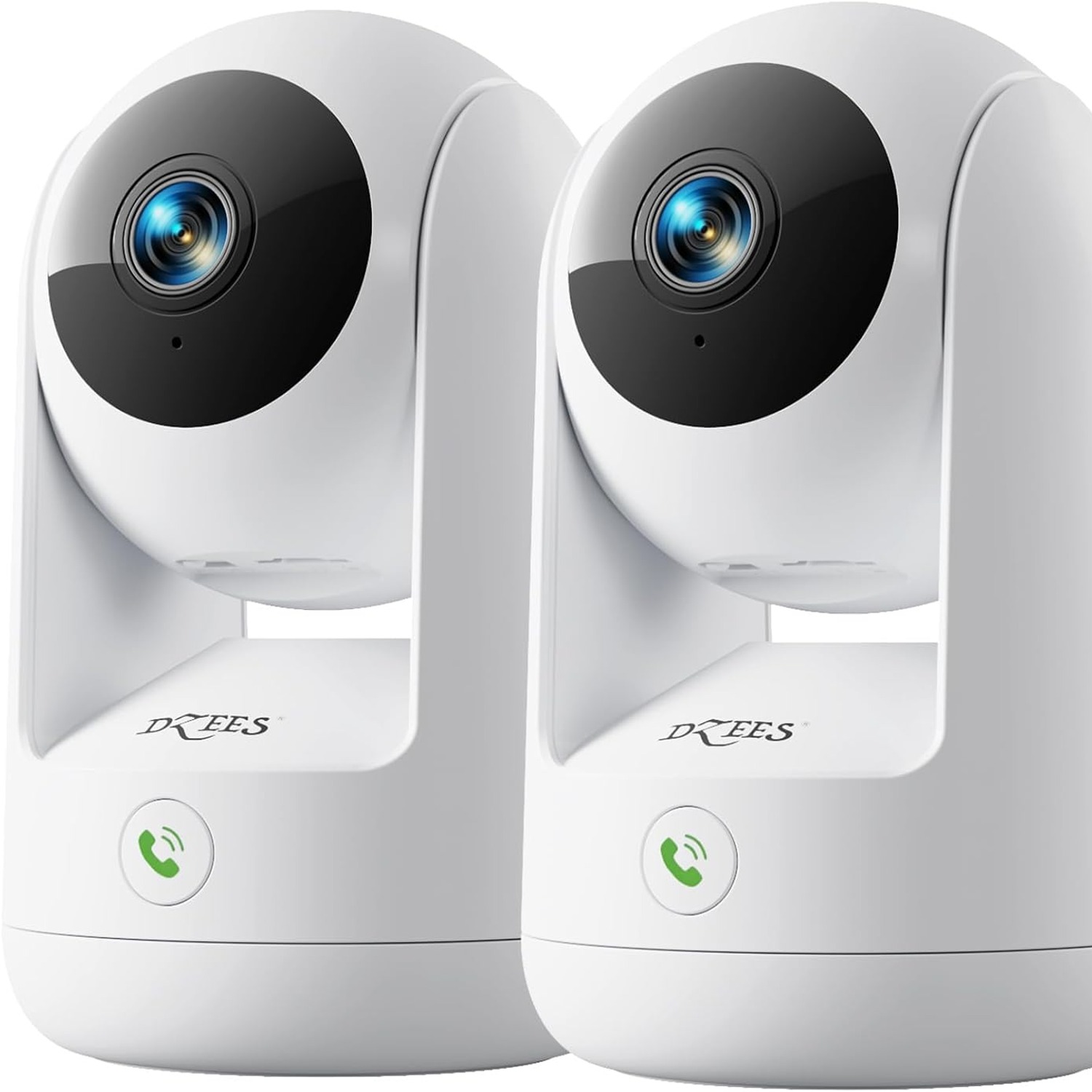
Dzees CA49 2K Indoor Camera with Dual Band WiFi and 360 Degree Pan Tilt

$197.99 $237.99 Save $40
  • Full Room Coverage
  • Dual Band WiFi
  • Two Way Audio
  • Night Vision

Price: $197.99 $237.99

  • Free tracked NZ-wide delivery on orders $175+, otherwise a flat $20
  • Pay by card or PayPal, handled by the payment provider
  • 14 days to change your mind, plus your statutory rights
Product specifications
ModelCA49
BrandDzees
Viewing Angle360 degrees (pan and tilt)
Video Capture Resolution1080p
Frame Rate15 fps
Still Image Resolution3 MP
Photo Sensor Resolution3 MP
Photo Sensor TechnologyCMOS
Zoom TypeOptical zoom
Night VisionNight colour
Night Vision Range50 feet
AudioTwo way audio
Connectivity ProtocolWi-Fi
Wireless TechnologyBluetooth
Connectivity TechnologyWired
Compatible DevicesiOS
Power SourceCorded electric
Video Capture FormatMP4
Mount TypeWall mount, ceiling mount, surface mount
Indoor or Outdoor UseIndoor
Enclosure MaterialABS (acrylonitrile butadiene styrene)
ColourWhite
Item Dimensions11.7 x 7.2 x 11.6 cm
Item Weight191 g
Weight191 g
Shipping & returns

Tracked delivery anywhere in New Zealand. It is free on orders of $175 or more, and a flat $20 below that.

If it is not right for you, send it back within 14 days of delivery in resaleable condition and we refund the price you paid, including standard delivery. That is a voluntary policy we offer on top of your legal rights. You cover the cost of returning it unless the item is faulty.

If it arrives faulty, damaged or not as described, we put it right at no cost to you under the Consumer Guarantees Act 1993 and the Fair Trading Act 1986, return postage included.

Shipping details · Refunds and returns

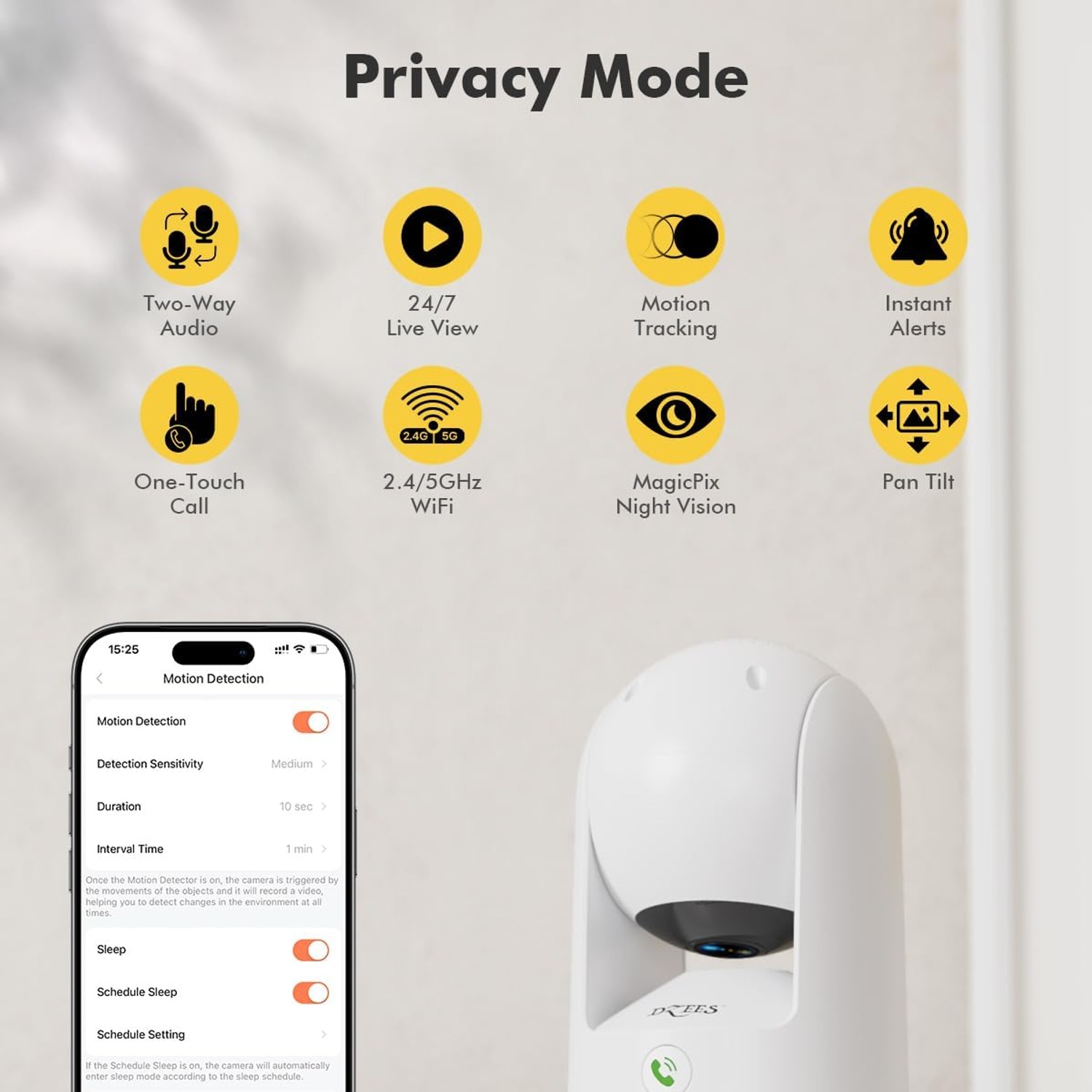
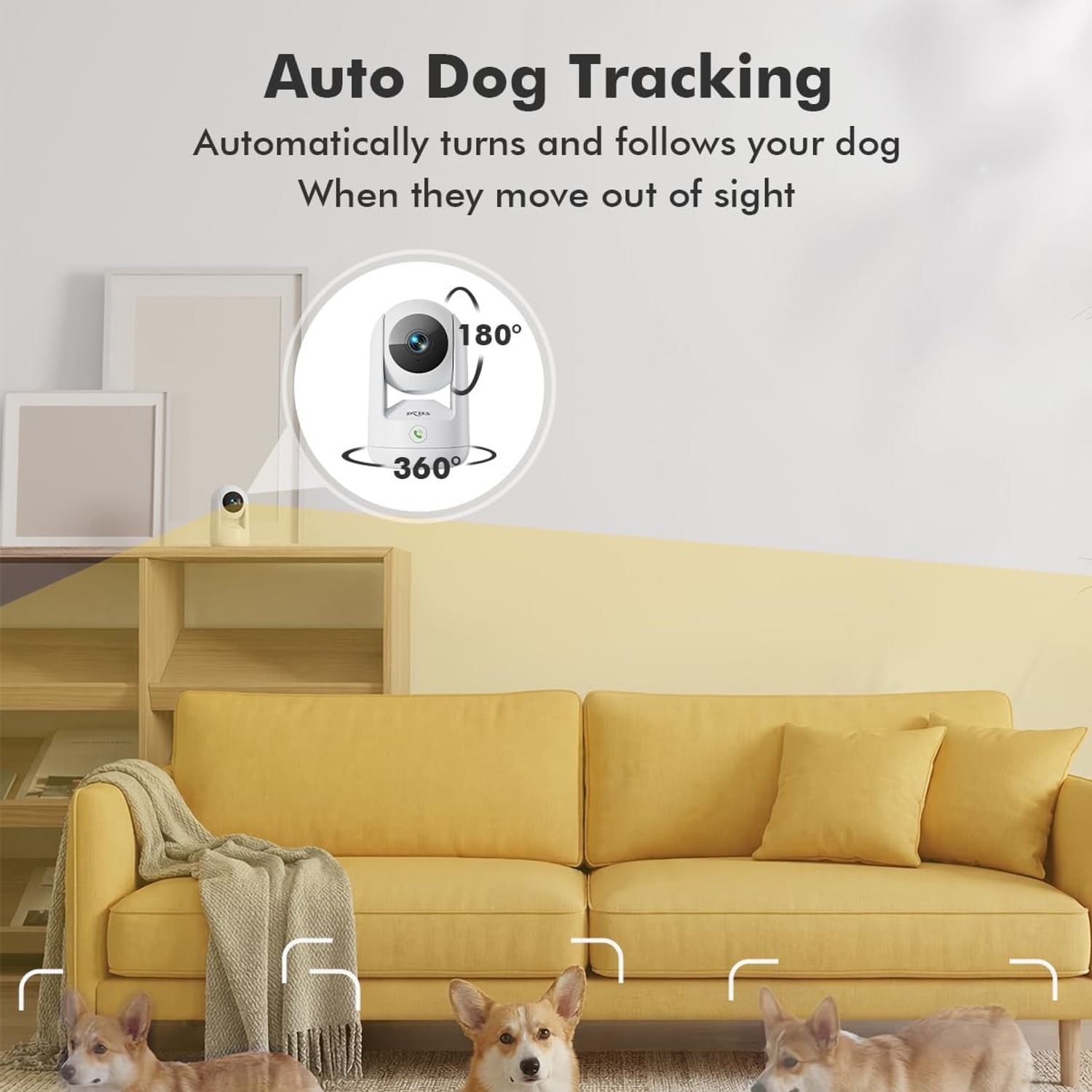
Full Room CoveragePan and tilt through 360 degrees so one camera watches the whole space.
Dual Band WiFiConnects on 2.4G or 5G, so you can pick the stronger signal in the room.
Two Way AudioBuilt in mic and speaker let you hear the room and answer back.
Night VisionNight colour mode keeps the picture usable after the lights go out.

Keep an eye on the whole room from your phone with a 2K indoor camera dual band WiFi setup that takes minutes to get running.

Pan and tilt through a full 360 degrees, talk back through two-way audio, and switch to colour night vision when the lights go out.

A compact indoor camera that pans and tilts through a full 360 degrees, so a single unit can cover an entire room instead of one fixed corner.

Dual band WiFi means you can join the 2.4G or 5G network, whichever gives you the steadier connection where the camera sits.

Two way audio through the built in microphone and speaker lets you listen in and speak back to a pet, a child or whoever is home.

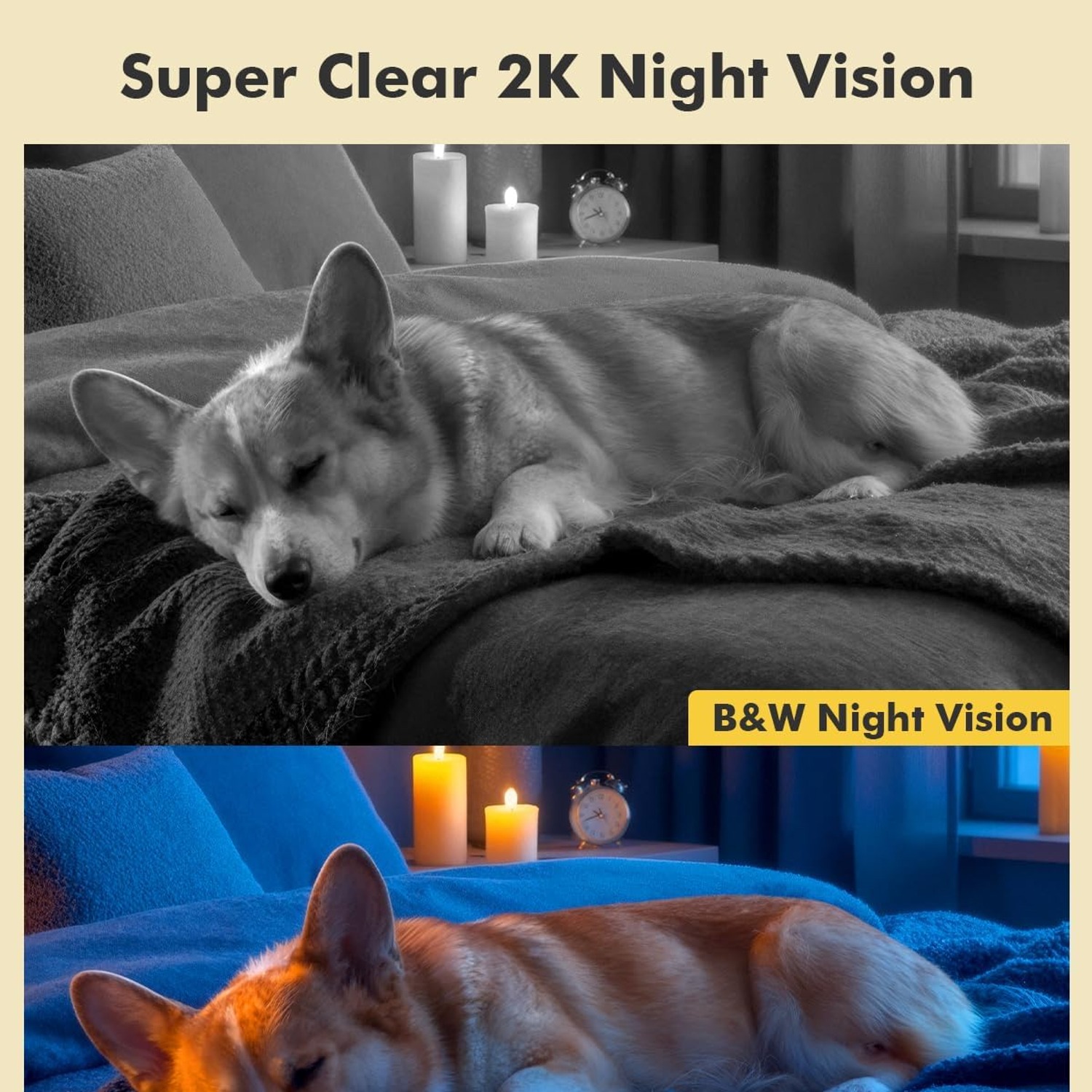
Night colour vision with a 50 foot range keeps the view useful once the room goes dark.

It runs on mains power through a corded electric supply, records in MP4, and mounts on a wall, a ceiling or a flat surface.

Dzees CA49 2K Indoor Camera with Dual Band WiFi and 360 Degree Pan Tilt

Most people who buy a home security camera indoor do it for one small, nagging reason. The dog howls when you leave. The baby monitor only shows one patch of cot. You want to check the back door without driving home. A fixed lens camera answers part of that question and leaves the rest of the room a mystery. This Dzees CA49 solves it differently, with a head that pans and tilts across a full 360 degrees so you can sweep the space from your phone instead of guessing what sits outside the frame.

Dzees CA49 2K Indoor Camera with Dual Band WiFi and 360 Degree Pan Tilt

The camera joins your network over Wi-Fi and supports both 2.4G and 5G bands. That matters more than it sounds. The 2.4G band travels further through walls, while 5G is usually quicker and less crowded when the camera is close to the router. Being able to choose means you can set the camera up where you actually want it, not where the signal happens to be strongest. Power comes from a corded electric supply, so there is no battery to recharge and no gap in coverage while you wait.

Dzees CA49 2K Indoor Camera with Dual Band WiFi and 360 Degree Pan Tilt

Picture quality runs at 1080p video capture with a 3 MP CMOS sensor behind it, recorded in MP4 at 15 frames per second. Optical zoom lets you pull in on part of the scene. When the lights go off, night colour vision takes over with a range listed at 50 feet, which is enough for a living room, a nursery or a hallway. For a 360 degree pet camera this combination is the useful part, because pets tend to move at the times you cannot see them.

Dzees CA49 2K Indoor Camera with Dual Band WiFi and 360 Degree Pan Tilt

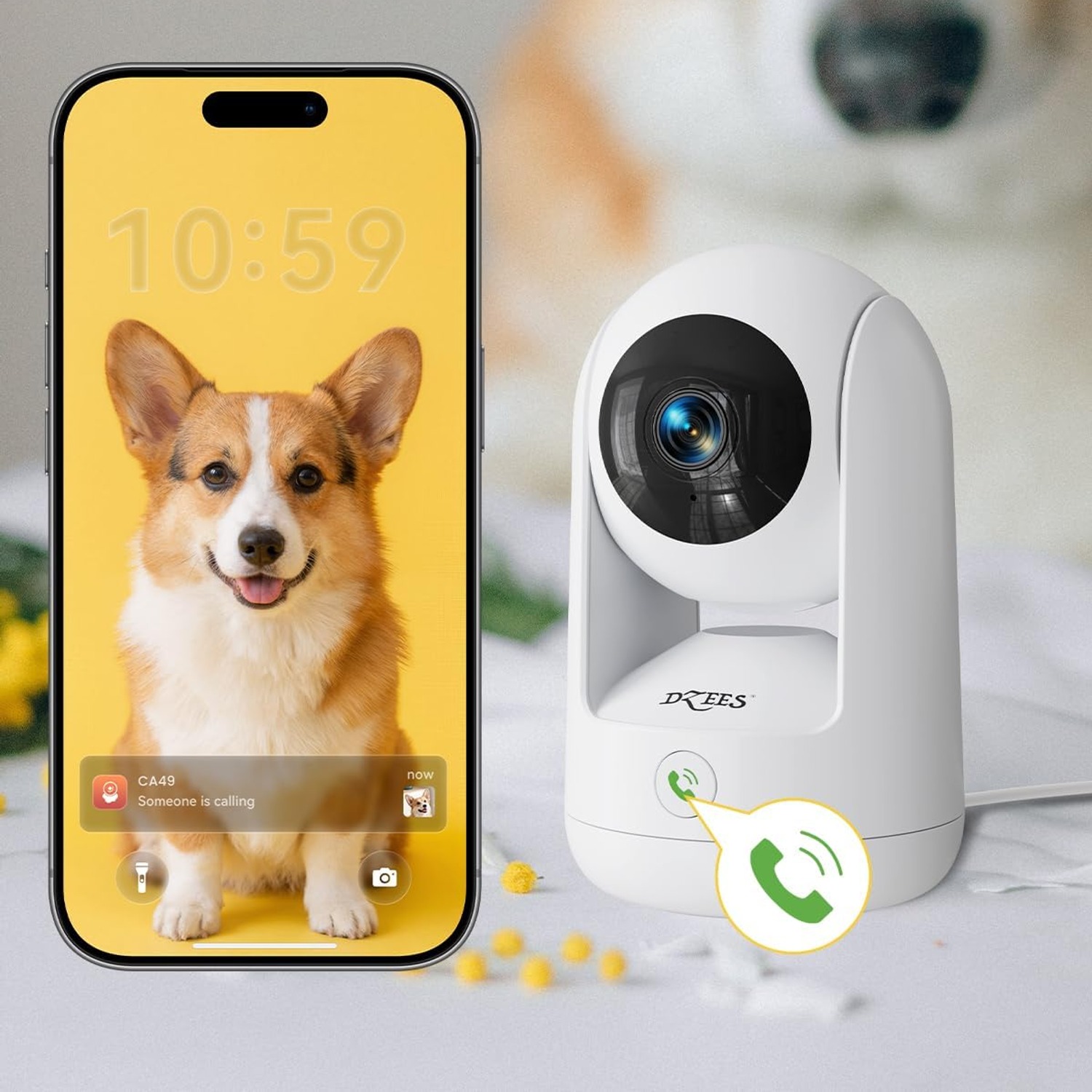
Two way audio is built in. There is a microphone and a speaker in the housing, so you can hear what is happening and speak back through the app. People use it to settle a dog, tell a kid to get off the kitchen bench, or let a delivery driver know where to leave a parcel. The listed compatible device platform is iOS. If you are an Android household, check compatibility with the manufacturer before ordering, as that detail is not specified by the maker.

Dzees CA49 2K Indoor Camera with Dual Band WiFi and 360 Degree Pan Tilt

Physically the camera is small and light. It measures 11.7 x 7.2 x 11.6 cm and weighs 191 g, with a white ABS housing that disappears against most shelves and walls. Mounting options cover wall, ceiling and plain surface placement, so you can stand it on a bookcase today and screw it to a ceiling later without buying anything extra. Storage options such as microSD capacity and cloud plans are not specified by the maker, so confirm what you need before setting up long term recording.

Not sure yet? That is fine.

A camera has to suit the job you bought it for, and you cannot always judge that from a photograph. If it is not right for you, send it back within 14 days of delivery in resaleable condition and we refund the price you paid, including standard delivery. That is a voluntary policy we offer on top of your legal rights.

If it turns up faulty, damaged or not as described, that is on us. The Consumer Guarantees Act 1993 and the Fair Trading Act 1986 covers you, and we pay the return postage. Read the full detail on our refunds and returns page, or ask us anything before you order.

Frequently Asked Questions

What is this camera, in plain terms?

It is a small indoor Wi-Fi camera with a motorised head. You control it from an app, and it can pan and tilt through a full 360 degrees to cover a whole room rather than one fixed view.

What resolution does it record at?

The listed video capture resolution is 1080p, recorded in MP4 format at 15 frames per second. The sensor is a 3 MP CMOS unit, which is also the still image resolution.

Does the 360 degree figure mean it sees everything at once?

No. The lens has a normal field of view, and the motor rotates the head so it can reach any angle across the full circle. You get complete coverage by moving the camera, not by seeing it all in one frame.

Can it follow movement on its own?

The camera is built around a motorised pan and tilt head designed for tracking and preset angles. Exact tracking behaviour depends on the app settings and firmware, which are not detailed in the maker's details.

How does it connect to the internet?

Over Wi-Fi. It supports dual band networks, so you can join either the 2.4G or 5G band depending on which gives a stronger signal where the camera sits.

Which band should I pick?

Use 2.4G if the camera is far from the router or behind thick walls, because that band travels further. Use 5G when the camera is close to the router and you want a faster, less crowded connection.

Does it need a cable?

It needs a power cable. The power source is listed as corded electric, so it plugs into mains power and runs continuously. There is no battery to charge.

What about Bluetooth?

Bluetooth is listed as a wireless technology on the camera. On cameras like this it is normally used during the initial pairing step so the app can find the device before Wi-Fi is set up.

Is it waterproof or weatherproof?

No. It is listed for indoor use only. Keep it out of rain, steam and unheated outdoor spaces, and do not mount it in a bathroom directly above a shower.

How good is the night view?

Night vision is listed as night colour with a range of 50 feet. That covers most living rooms, bedrooms and hallways comfortably.

Does the night mode switch on automatically?

Cameras of this type usually sense falling light and change mode on their own. The automatic switching behaviour and any manual override live in the app, which is not documented in the maker's details.

Can I talk through it?

Yes. There is a built in microphone and speaker for two way audio, so you can hear the room and reply through the app in real time.

Is this a good choice as a 360 degree pet camera?

It suits that job well because pets move around and a fixed lens loses them quickly. The pan and tilt head plus two way audio lets you find the animal and talk to it from your phone.

Will it work as a baby monitor?

Many people use indoor cameras this way for a cot or a toddler room. It is a general purpose camera rather than a certified medical or safety device, so treat it as an extra pair of eyes, not a substitute for checking in.

What devices can I use with it?

Compatible devices are listed as iOS. If you use Android or want desktop viewing, check with the manufacturer first, because that detail is not specified by the maker.

Does it work with voice assistants?

Voice assistant support is not specified by the maker. Confirm with the manufacturer before buying if that feature matters to you.

Where can I mount it?

Mount types listed are wall, ceiling and surface mount. That means you can stand it on a shelf, screw it to a wall or hang it from a ceiling, depending on the angle you need.

Is ceiling mounting worth it?

It often is. A ceiling position gives the pan and tilt head a clear line to most of the room and keeps the camera out of reach of children and curious pets.

How big is it?

The item dimensions are 11.7 x 7.2 x 11.6 cm and it weighs 191 g. That is small enough to sit on a bookshelf or a bedside table without dominating the space.

What is the housing made of?

ABS plastic, in white. ABS is the usual choice for indoor cameras because it is light, rigid and does not yellow quickly under normal indoor light.

How is footage stored?

Video is captured in MP4. The specific storage media options, card capacity and any cloud plans are not specified by the maker, so check the setup guide or the manufacturer before relying on long term recording.

Does it have zoom?

Yes, the zoom type is listed as optical zoom. Optical zoom moves the lens rather than cropping the image, so detail holds up better than with digital zoom.

Why only 15 frames per second?

Fifteen frames per second is a common setting for indoor monitoring cameras. It keeps file sizes and bandwidth lower while still showing motion clearly enough for a home security camera indoor.

Can I stop it recording when I am home?

Most cameras in this class offer a privacy or sleep setting in the app, and some rotate the lens away from the room. The specific controls available here are not described in the maker's details.

How do I clean it?

Wipe the body with a dry or lightly damp soft cloth and use a dry microfibre cloth on the lens. Avoid sprays, solvents and anything abrasive, and unplug the camera first.

Will it survive a kitchen?

Keep it away from cooking steam and grease. Those films settle on the lens and soften the picture over time. A shelf on the far side of the room is a better spot.

Does it make a good gift?

It works well for anyone with a new puppy, an older relative living alone, or a first home. It is compact, plugs straight in, and does not need tools unless they want to wall mount it.

How is it delivered?

It ships from our standard dispatch network with tracking provided once the order leaves the warehouse. Delivery times vary by country, and you will see an estimate at checkout.

What is in the box?

The box contents are not itemised in the maker's details. Mounting hardware and power supply arrangements should be confirmed with the product packaging or the manufacturer before installation.

What if it is not right for me?

Get in touch with our team and we will walk you through it. If the camera genuinely does not suit your home, contact us within the returns window with the item unused and in its original packaging and we will sort out a return or exchange.

How to Choose an Indoor Security Camera That Actually Earns Its Spot

6 min read Camera Company

The problem with watching one corner of a room

Most people buy their first indoor camera in a hurry. Something happened, or almost happened, and suddenly a camera seems obvious. So they grab a cheap fixed lens model, stick it on a shelf, open the app a week later and discover it is pointing at a blank wall and half a sofa.

That is the real limitation of a fixed camera. It does not see what it is not aimed at. Pets move. Toddlers move. The thing you actually want to check is nearly always just outside the frame. You end up buying a second camera for the same room, which is a strange way to solve a problem you could have avoided.

A pan and tilt camera takes a different approach. The lens sits on a motorised head, and the head turns. The Dzees CA49 swings through a full 360 degrees and tilts as well, so from your phone you can sweep across the room, settle on the spot that matters, and go back to what you were doing. One camera, one plug, whole room.

How a pan and tilt camera works

The mechanics are simple. Two small motors sit under the lens housing. One rotates the whole head horizontally, the other tips the lens up and down. When you drag your finger across the live view in the app, those motors respond. It feels a bit like steering a very polite robot.

The optics behind it on this model are a 3 MP CMOS sensor recording 1080p video in MP4 at 15 frames per second. Optical zoom lets you move in closer on part of the scene without the blocky mush you get from digital cropping. Fifteen frames per second sounds low next to a phone camera, but for monitoring a room it is plenty. You are watching for a dog on the sofa or a door opening, not filming a sports match, and the lower frame rate keeps bandwidth and file sizes sensible.

Night coverage is handled by a night colour mode with a stated range of 50 feet. Colour night vision generally reads better than plain black and white infrared, because clothing colours and object shapes are easier to recognise. Fifty feet is more than most indoor spaces need, so a hallway or an open plan living area should be well inside range.

Two way audio rounds it off. There is a microphone and a speaker inside the housing, which means you can both listen and talk. In practice that is the feature people use most after the first week. It is how you tell a barking dog to settle, warn a teenager you can see them, or shout a question at someone in the next room without getting up.

Why dual band WiFi matters more than the spec sheet suggests

A lot of camera buying decisions come down to where the thing can physically live, and that is usually decided by signal strength.

The 2.4G band is slower but travels further and punches through plaster and brick better. The 5G band is faster and less congested, but it fades quickly with distance and walls. A camera locked to one band forces your hand. A 2K indoor camera dual band WiFi setup lets you choose, which means the camera goes where you want it rather than where the router allows.

A practical approach: if the camera will sit in the same room as the router, or one wall away, start with 5G. If it is going upstairs, at the far end of the house, or behind a brick wall, use 2.4G. If the stream stutters, swap bands before you blame the camera.

This model also lists Bluetooth. On cameras like this, Bluetooth is usually the handshake that lets the app discover the device during setup, before Wi-Fi credentials are passed across. It makes the first five minutes less fiddly.

Who this camera suits

Pet households. This is the obvious one. If you have ever come home to a shredded cushion with no idea when it happened, the best indoor camera for pets is one that can actually follow the animal. The pan and tilt head plus two way audio makes it a genuinely useful 360 degree pet camera rather than a static webcam.

Parents. Nurseries and playrooms are good fits. A camera that can tilt down into a cot and then pan across to a toy corner covers more of the day than a fixed view.

People with older relatives at home. A camera in a main living room, with the ability to speak through it, can take the edge off worrying between visits.

Renters. Because it can sit on a shelf and runs on a mains cable, you do not have to drill anything. When you move, it comes with you.

Small businesses. A back office, a storeroom or a reception desk is well served by a single camera that can look in several directions.

Who it is not for: anyone needing outdoor coverage. This is listed as indoor use only, and putting it under an eave or on a patio will shorten its life. If you want a driveway or a garden covered, buy a camera built for weather.

How to choose and where to put it

Start with the question you are trying to answer. "Is the dog on the couch" needs a different placement from "did anyone come through the front door". Write the question down, then pick the spot that answers it.

Height helps. A camera at head height or above has a cleaner line across furniture, and a ceiling mount gives the pan head the best sweep of all. This model supports wall, ceiling and plain surface mounting, so you are not locked in. Start it on a shelf, live with it for a fortnight, then mount it properly once you know where it should live.

Watch what is behind the camera, too. Pointing it straight at a bright window will leave the room in front looking like a silhouette, especially in the afternoon. Angle across the window rather than into it.

Keep it out of the kitchen if you can. Cooking steam and grease settle on a lens and quietly fog the picture over months. A living room shelf facing the kitchen doorway gets you the same information with less maintenance.

And mind the cable. Power is corded electric, so there is no battery to flatten, but the cable needs to reach a socket without becoming a trip hazard or a chew toy.

Setting it up without the frustration

Do the setup in the room where the camera will eventually sit, not next to the router. That way you find out about signal problems before you have screwed anything to a wall.

Have your Wi-Fi password ready and know which band you are joining. Compatible devices are listed as iOS, so check your phone suits before you start. Once it is connected, spend ten minutes actually using the pan and tilt controls and setting up any preset angles the app offers. Presets save you a lot of dragging later, because you can jump straight to "the back door" or "the cot" with one tap.

Then test the audio from another room. People often skip this and only discover the speaker volume is wrong when they need it.

Keeping it working

Maintenance is light. Wipe the white ABS housing with a dry or barely damp cloth, and clean the lens with a dry microfibre cloth only. Skip the sprays and solvents entirely, because they can haze the lens coating. Unplug it before any cleaning.

Check the view every month or so. Cameras drift, furniture moves, and a Christmas tree in the wrong place can block a whole angle. A quick look through the app tells you whether the camera is still doing the job you bought it for.

If the picture gets grainier over time, clean the lens before assuming the camera is failing. Dust is nearly always the culprit.

The short version

This is a small white indoor camera with a motorised head that turns through 360 degrees, records 1080p MP4 video at 15 fps from a 3 MP CMOS sensor, has optical zoom, colour night vision to 50 feet, and two way audio. It connects over dual band Wi-Fi, lists iOS compatibility, and runs on mains power. It weighs 191 g, measures 11.7 x 7.2 x 11.6 cm, and mounts on a wall, a ceiling or a shelf.

If you want one camera to cover a whole room, speak to whoever is in it, and keep working after dark, it fits. If you need outdoor coverage or battery operation, look elsewhere. Storage media, warranty terms and country of origin are not specified by the maker, so confirm those details with us or the manufacturer if they affect your decision.

Browse the shop

Not sure where to put it?

Tell us the room and what you want to watch, and we will suggest the best mounting spot and band for your setup.

Ask us a question

Page summary

The Dzees CA49 is a white indoor security camera with a motorised head that pans and tilts through 360 degrees. It records 1080p video in MP4 at 15 fps using a 3 MP CMOS sensor and offers optical zoom. Night colour vision is rated to 50 feet. Two way audio is supported through a built in microphone and speaker. The camera connects over Wi-Fi on dual band networks and lists Bluetooth as a wireless technology and iOS as a compatible platform. Power is corded electric. The ABS housing measures 11.7 x 7.2 x 11.6 cm and weighs 191 g, with wall, ceiling and surface mount options. Colour is listed as white. Storage media, warranty and country of origin are not specified by the maker.